Better Than FLUX!? Using WAN for Image Generation!
Flux is widely accepted as the current state-of-the-art image generation model, but there's a new kid on the block that generates far superior images, at least when it comes to realistic, cinematic shots – WAN!
Introduction
Flux is widely accepted as the current state-of-the-art image generation model, but there's a new kid on the block that generates far superior images, at least when it comes to realistic, cinematic shots – WAN!
"But wait a minute," you say! "Isn't WAN a video generation model?"
Yes, it is. And we wrote about it previously on multipleoccasions for video generation.
However, users have discovered that if you simply set the frame count of the generation to 1, you can get a single image from an incredible model that has been trained on some epic cinematic shots.
What You'll Get
The workflow
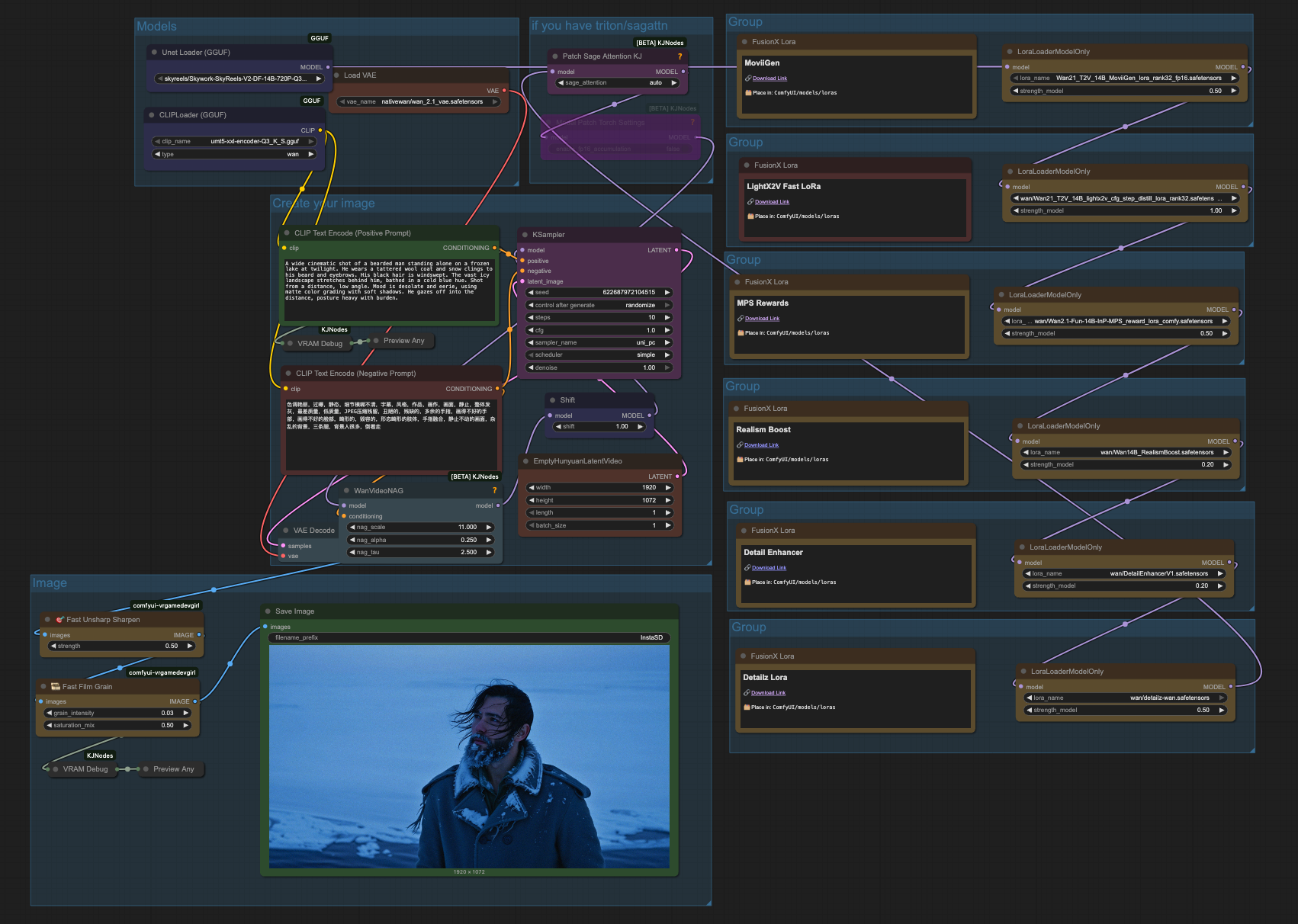
This workflow uses WAN as a text-to-image model. It has a number of LoRAs that can be used to enhance the output:
Detailz-WAN: improves details such as skin, faces, depth, color, and lighting.
MPS Rewards: Uses a special technique ("reward backpropagation") to optimize generations for prompt adherence and quality.
LightX2V Fast: Improves generation speed.
FusionX: Improves speed, prompt adherence, and smoothness of dynamics.
Plus more...
In the workflow we're using, you'll get these LoRAs tuned to the optimal levels for the best output, and you can tweak them to your liking.
The original workflow published by the user vrgamedevgirl on CivitAI. You can buy her a coffee here.
What Is It Good For?
We've found this workflow works best for punchy, cinematic shots. Ad posters are one of its most obvious applications, particularly if you combine the workflow with other techniques for product imagery.
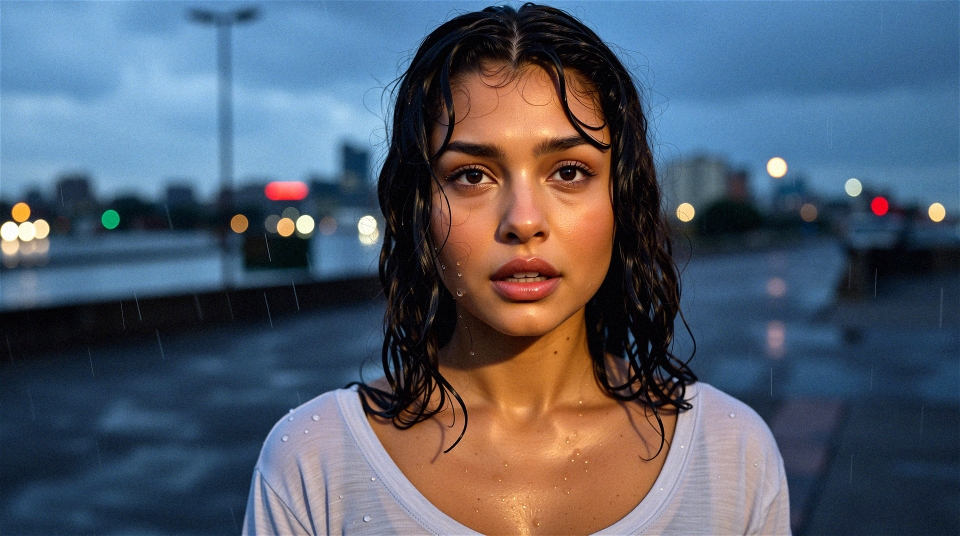
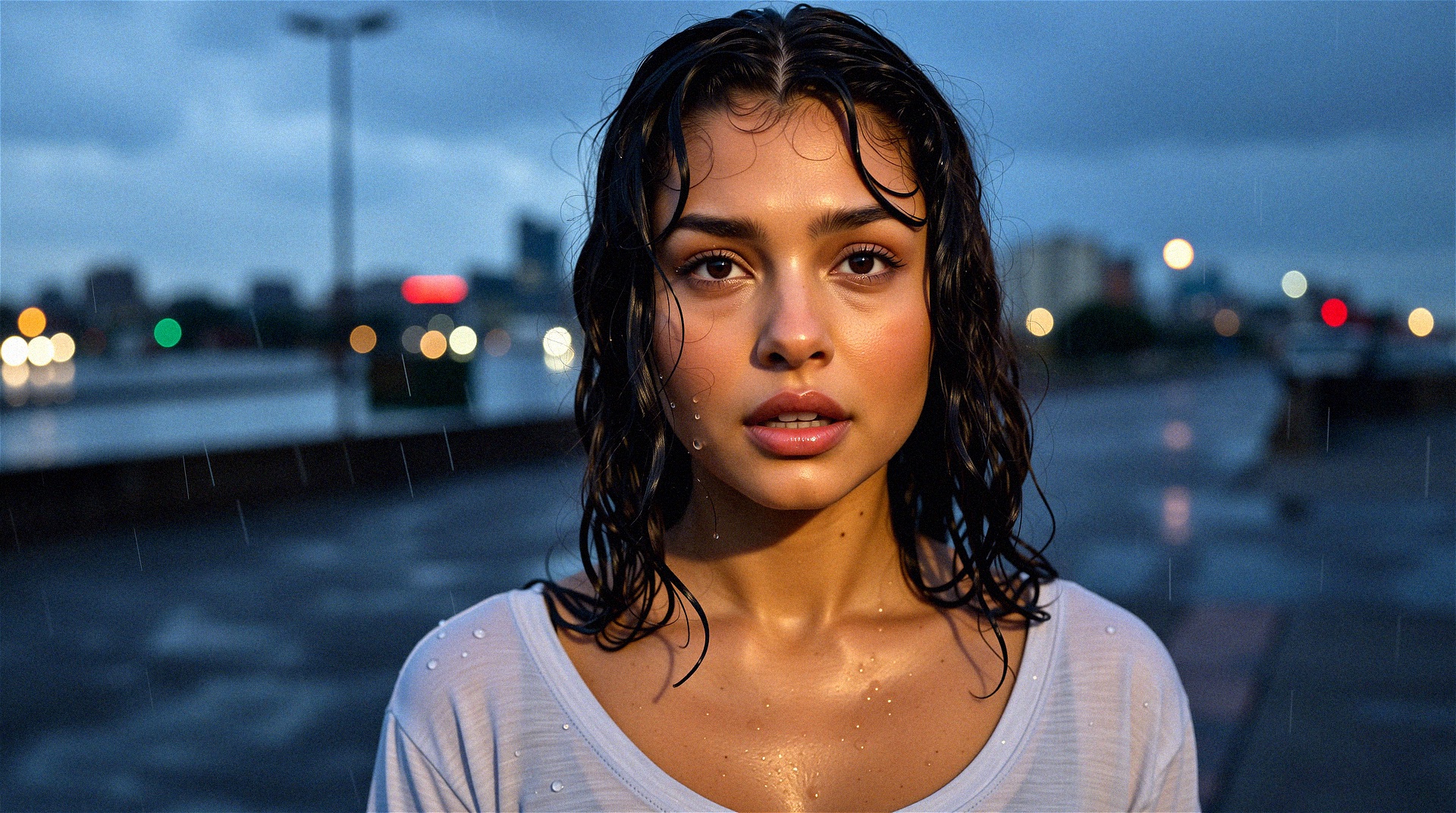
A cinematic headshot of a young woman standing in the rain at dusk. She has a soft oval face, light brown skin, and large dark brown eyes filled with emotion. Her black wavy hair is soaked, strands clinging to her cheeks and forehead. Raindrops roll down her bare face — no makeup. She wears a light grey scoop-neck shirt, damp and clinging slightly to her shoulders. Her lips are slightly parted, expression somewhere between strength and sadness. The background is blurred city lights with falling rain visible in the foreground. Shot at eye level, soft cool-toned lighting from overcast skies.
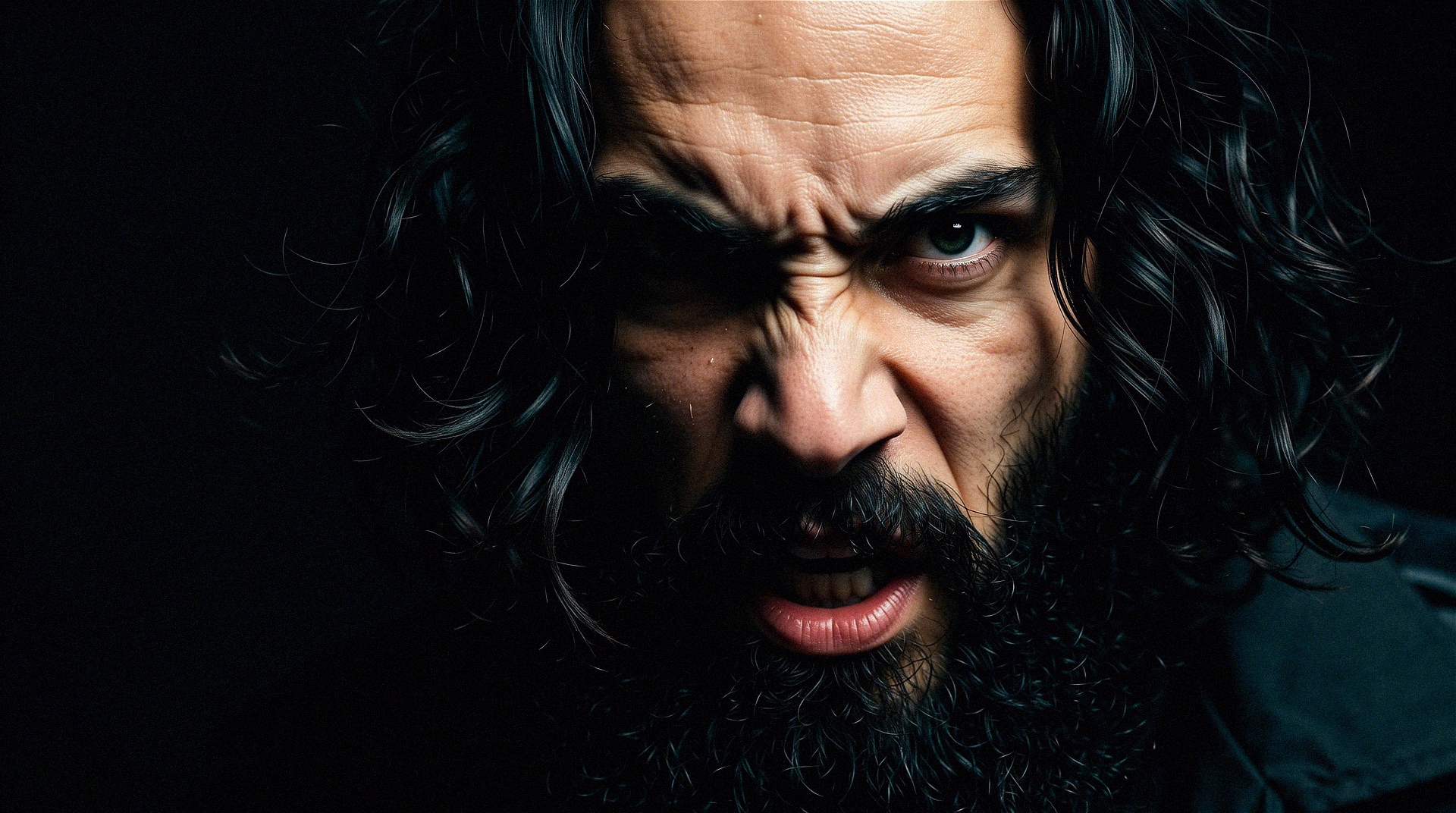
A cinematic close-up of a bearded man's face with dramatic lighting. His black hair frames his face, and the sharp light casts contrasting shadows, emphasizing his expressive eyes and the texture of his skin. The background fades into deep black. Shot at eye level with shallow depth of field. Mood is intense and mysterious, using high contrast and HDR color grading. His expression is agonizing and angry. His eyes stare directly into the camera.
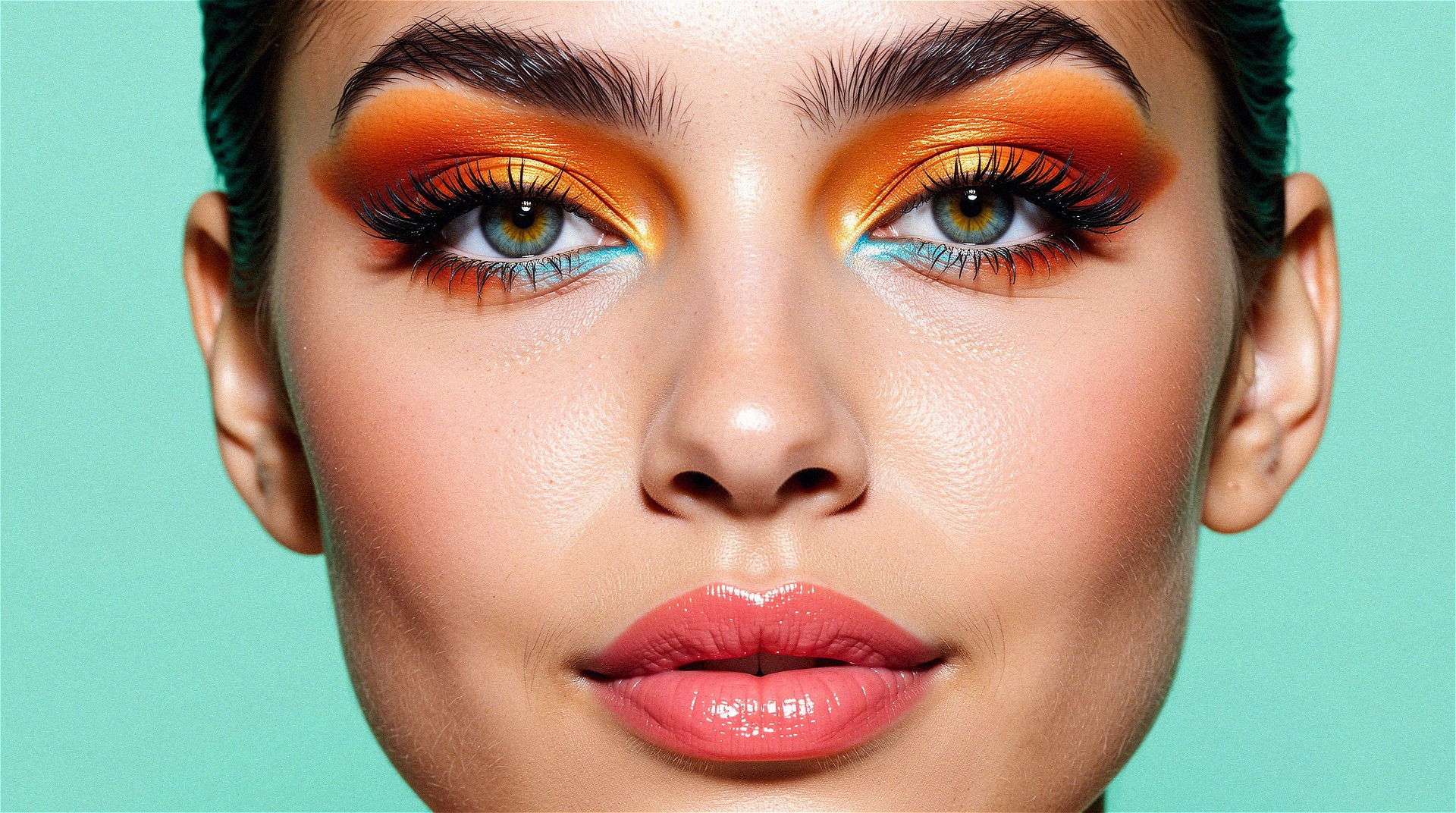
A hyper-detailed close-up of a female model’s face, full frame. She wears vibrant orange and teal eyeshadow with shimmering gold highlights and glossy peach lips. Solid mint green background. Her expression is neutral, eyes directly into the lens. Studio lighting captures every pore and texture with crystal clarity.
Get Started
All the details you need for this workflow are available here. You can run it with one click on InstaSD by clicking the "Launch Workflow" button.
Models
If you want to run it locally, you can download the workflow file from here, and get all the models from the download links provided on the workflow page on InstaSD. Download links are also provided in the workflow itself.
Nodes
For custom nodes, make sure to download the following packs:
If you're running the workflow on InstaSD, all you need to do to run the workflow is enter a prompt in the "Positive Prompt" input node, and click "Run".
If you're running the workflow locally, you need to make sure you've placed all the models in the right directories and that all the model and LoRA nodes are pointing to the right models.
In the EmptyHunyuanLatentVideo node, make sure the length is set to 1.
Examples
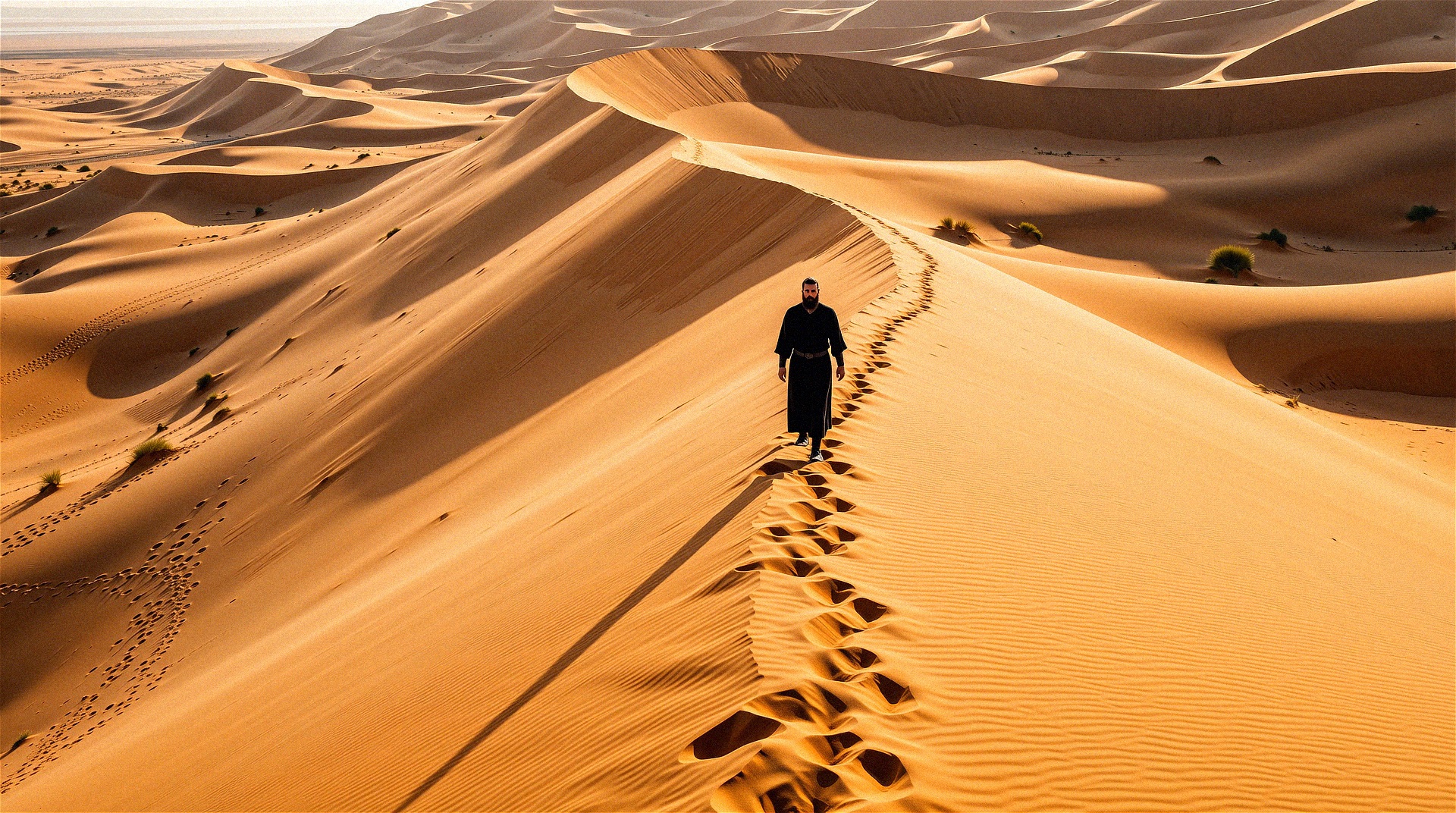
A high-angle drone shot of a lone bearded figure walking across a massive sand dune under harsh midday sun. His black robes contrast sharply with the golden sand. There are no shadows nearby — only the stark texture of the dune and the man’s long footprint trail. Mood is stark and surreal, using high contrast and desaturated HDR tones. The environment overwhelms the subject.
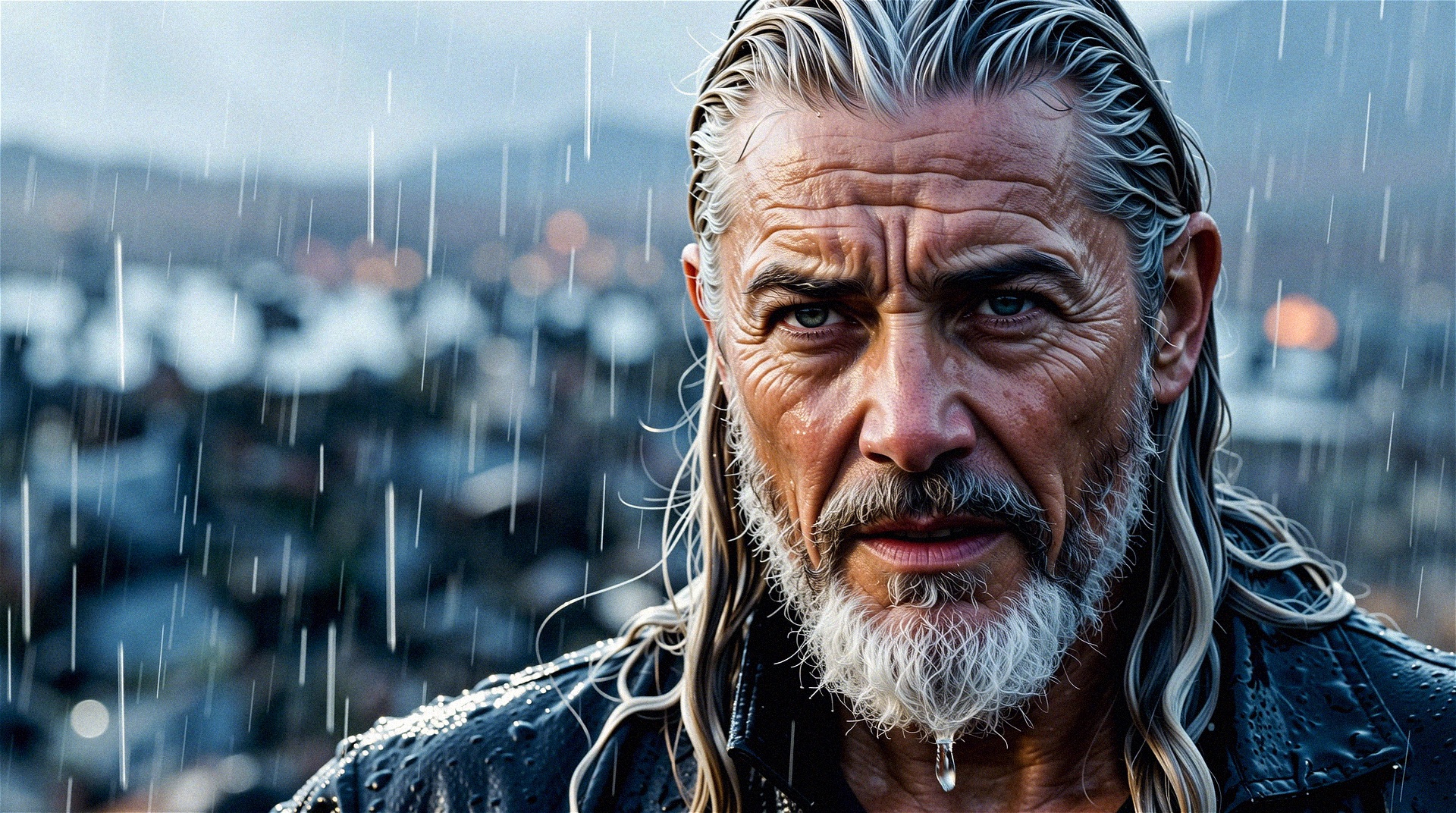
A cinematic close-up of a weathered old man’s face, drenched in rain, with water dripping down his long white beard. His silver hair is slicked back, revealing deep wrinkles and tired, determined eyes. The background is a blurry, stormy battlefield. Shot at eye level with a shallow depth of field. Mood is epic and tragic, using high contrast and cinematic color grading. His expression is fierce and defiant.
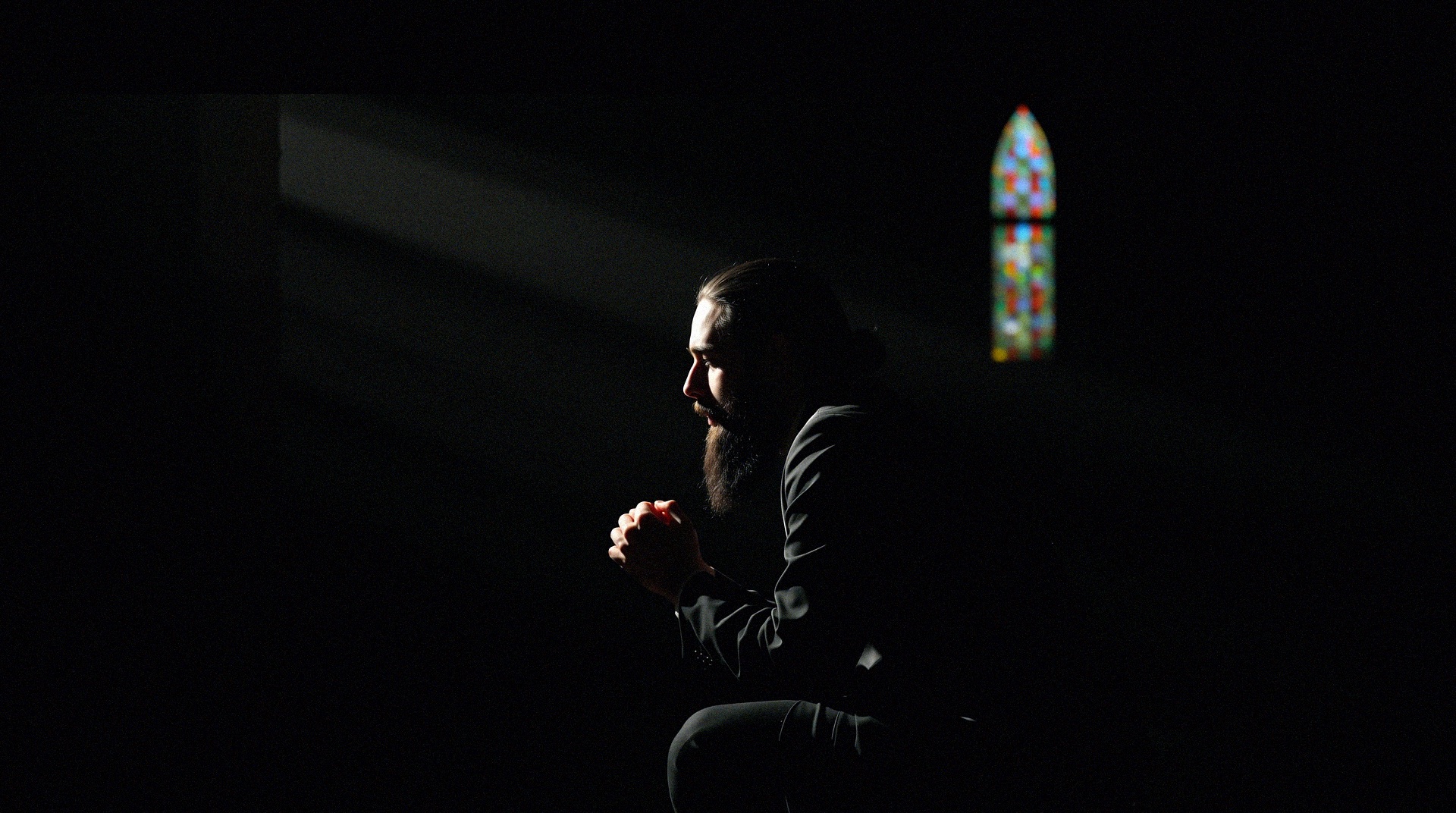
A medium shot inside a dark cathedral, with a beam of sunlight piercing through stained glass, illuminating a kneeling bearded man in prayer. His black hair catches the colored light, casting hues across his face. The rest of the scene is shadowy and reverent. Shot from the side, at ground level. Mood is spiritual and dramatic, using cinematic light rays and deep blacks. Dust floats in the air, enhancing the stillness.
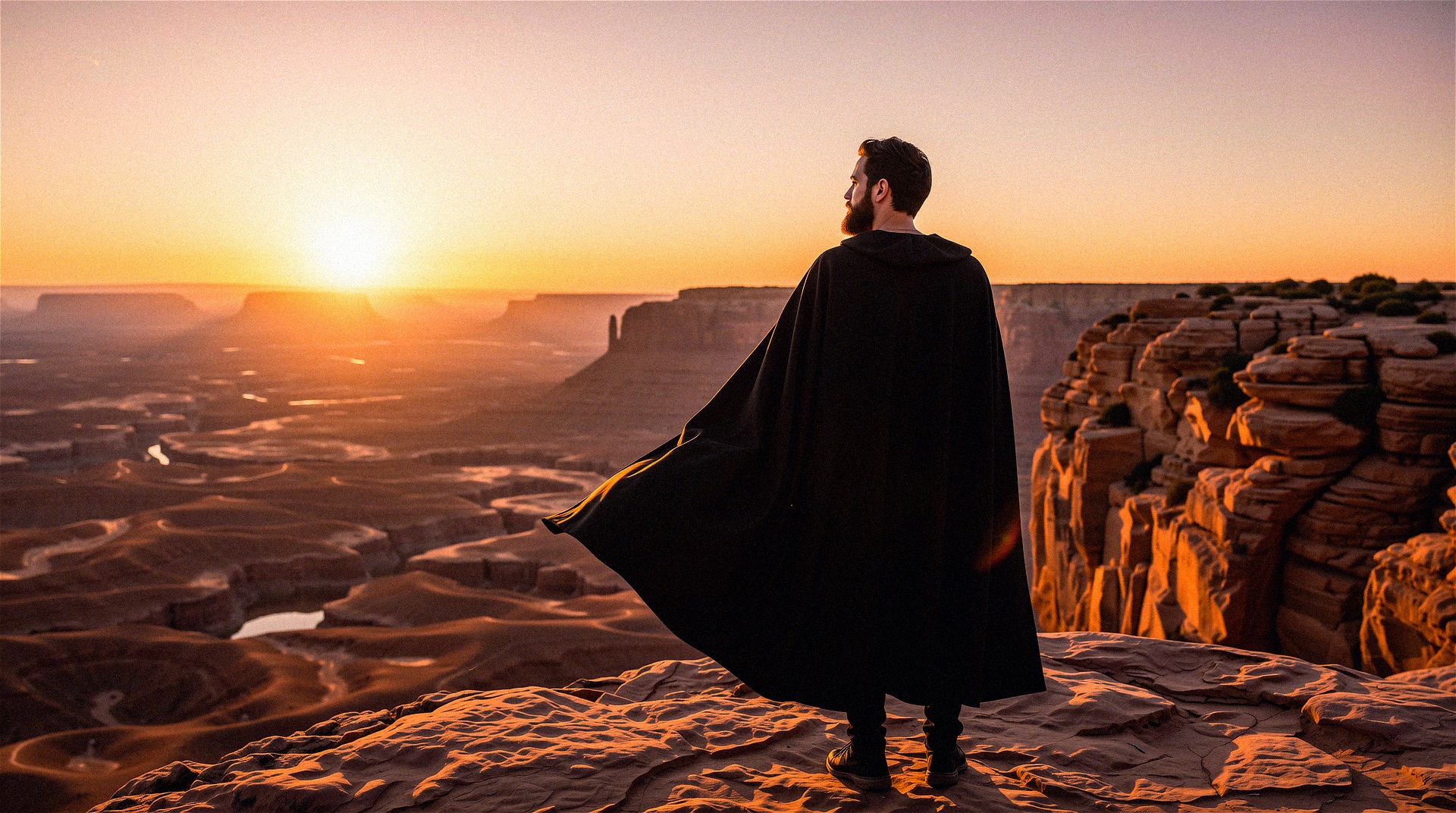
An over-the-shoulder shot of a bearded man standing at the edge of a cliff during golden hour, overlooking a vast desert canyon. His black cloak flutters in the wind, and the sun casts long shadows. Shot from behind, capturing his silhouette against a vibrant orange and pink sky. Mood is contemplative and vast, using cinematic warm tones and soft focus. He stands motionless, absorbing the grandeur of the view.
Once you have some great shots, join our Discord server, and share them. We'd love to see it!
Run in Wundernode
WunderNode is the easiest way to produce incredible AI content. No IT department required.